476FD0605E2E4FE4BFD34D49423CD0A2.jpg)
.jpg)







Description
-
BrandBently Nevada
-
Model3500/20
-
Product NameRack Interface Module
-
Place of OriginUnited States
-
Customs HS Code8538900000
-
Power Supply+5 VDC and ±15 VDC
-
Dimensions25.4 mm (width) × 221 mm (height) × 220 mm (depth)
-
Weight0.95 kg
-
Operating Temperature-40°C to +70°C
-
Storage Temperature-40°C to +85°C
-
Warranty12 month
-
Product Statusnew
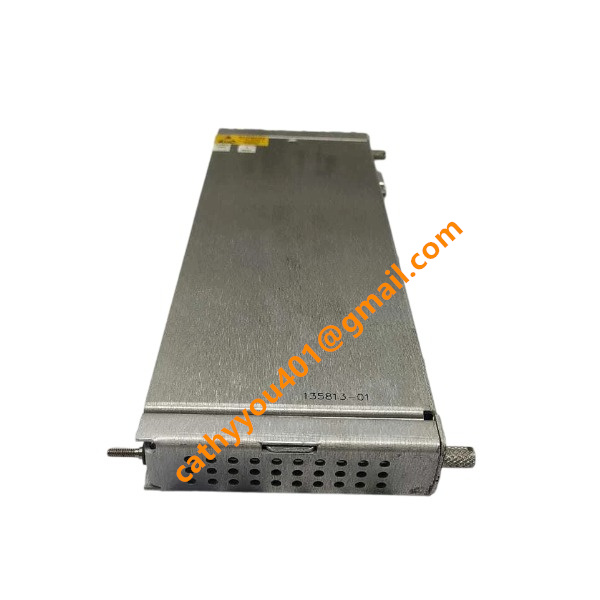
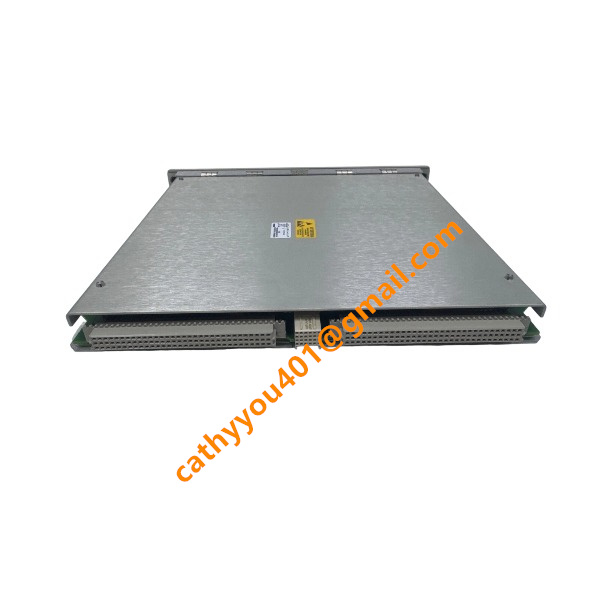
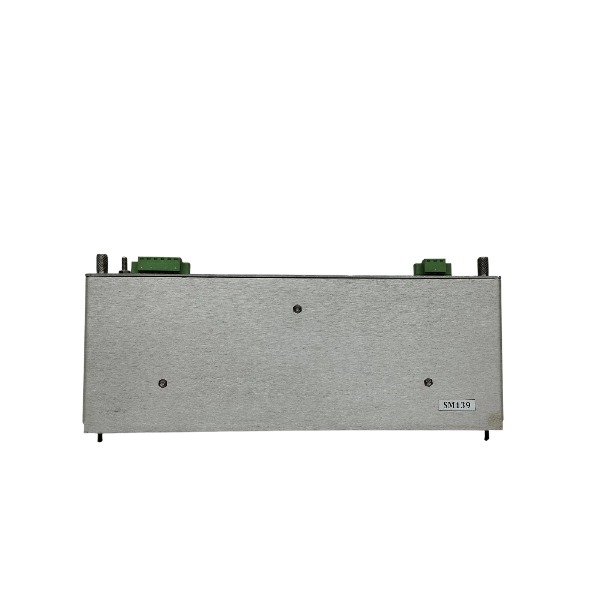
Bently Nevada 3500/20 Rack Interface Module (RIM)
Module Type: Rack Interface Module for the 3500 machinery protection system
Power Supply: Supplied through the 3500 rack backplane
Typical Power Consumption: 4.75 W
Front Panel Communication Interface: RS232; maximum baud rate 38.4 k baud; proprietary Bently Nevada protocol; maximum cable length 30 m
Optional I/O Communication Interfaces: RS232, RS422, external modem; maximum serial baud rate 38.4 k baud; modem baud rate 14.4 k baud
Supported External Communication Processors: TDXnet, TDIX, DDIX
Rack Slot Requirement: Slot 1 of the 3500 rack; one RIM is mandatory for each standard rack
Front Panel Indicators: OK LED, TX/RX LED, TM (Trip Multiply) LED, CONFIG OK LED
OK Relay Rating: 5A @ 24 VDC / 120 VAC; normally energized; users can select normally open or normally closed contact for fault alarm
Front Panel Controls: Rack reset button, address switch, configuration keylock
Relative Humidity: 5% to 95%, non-condensing
Function: Manages rack configuration, handles internal communication among rack modules, and provides external data interface for System 1 software
TMR variant is offered for triple modular redundant protection systems

Bently Nevada 3500/20 Rack Interface Module Installation and Commissioning Procedure
1. Pre-Installation Preparation
1.1 Verify the delivery integrity of the 3500/20 module, check for physical damage, loose components and complete accessories, and confirm the module model and part number match the design requirements.
1.2 Prepare professional tools including anti-static wrist strap, screwdriver, multimeter, network cable tester and insulated pliers, and ensure all tools are in good working condition.
1.3 Confirm the installation environment meets specifications: ambient temperature 0℃~60℃, relative humidity 5%~95% (non-condensing), no strong electromagnetic interference, dust and corrosive gas.
1.4 Cut off the power supply of the 3500 system rack completely, confirm zero voltage of the power circuit with a multimeter to avoid electric shock and module burnout risks.
1.5 Sort out field cables including sensor signal cables, power cables, Ethernet communication cables and grounding cables, check cable insulation integrity and no short circuit or open circuit.
2. Hardware Installation Steps
2.1 Wear an anti-static wrist strap and connect it to the reliable grounding point of the cabinet to eliminate static electricity and prevent static damage to the module circuit board.
2.2 Locate the designated slot of the 3500 system rack for the 3500/20 Rack Interface Module (RIM), usually the fixed interface slot of the system rack backplane.
2.3 Align the module with the rack guide rails, push the module slowly and horizontally into the slot until the module is fully closely connected with the backplane connector, no gap and loose contact.
2.4 Tighten the fixing screws on the upper and lower sides of the module front panel clockwise to fix the module firmly on the rack, avoid loose module caused by equipment vibration.
2.5 Complete cable wiring in accordance with the official wiring diagram: connect system power cable to the module power terminal, connect field sensor signal cables to the corresponding I/O terminals, connect Ethernet cable to the module network port for upper computer communication.
2.6 Implement standard grounding operation: connect the module grounding terminal to the cabinet grounding busbar with dedicated grounding wire, ensure grounding resistance is less than 1Ω to meet system anti-interference and safety requirements.
2.7 Check all wiring again to confirm correct cable connection, firm terminals, no wrong connection, missing connection or virtual connection, and tidy up cable arrangement for standardized wiring.
3. Power-On Inspection and Hardware Self-Test
3.1 After confirming all wiring is correct, restore the 3500 system rack power supply, and conduct overall power supply inspection of the rack.
3.2 Observe the LED indicator status on the 3500/20 module front panel: the POWER indicator lights green normally, indicating normal power supply; wait for the module to complete automatic self-test within 30 seconds.
3.3 Judge self-test result according to indicator status: if the RUN indicator flashes green normally and no FAULT red alarm light is on, the hardware self-test passes; if the fault indicator is on, power off immediately to check module connection and wiring troubleshoot.
3.4 Use a multimeter to detect the working voltage of the module terminals, confirm the voltage is within the standard operating range of the 3500 system, no overvoltage or undervoltage phenomenon.

4. System Software Configuration
4.3 Install and open the official 3500 Rack Configuration software on the configuration computer, complete computer network parameter setting, and ensure the computer is in the same network segment as the 3500/20 module.
4.2 Establish network communication connection between the computer and the 3500/20 module, search and identify the online 3500 rack device in the software interface.
4.3 Read the default configuration of the rack system, save the original configuration file as backup to avoid configuration loss during modification.
4.4 Complete module parameter configuration: set sensor type, signal range, measurement unit (mils, mm/s, g) according to field monitoring requirements.
4.5 Configure system alarm parameters: set alert alarm and danger alarm thresholds in accordance with API 670 standard and on-site equipment operating specifications, and set alarm hysteresis and delay time to avoid false alarms.
4.6 Configure digital input and output logic, interlock and trip parameters as required to match the field machinery protection control logic.
4.7 Complete firmware version inspection of the 3500/20 module, upgrade the firmware to the latest official stable version if the version is outdated, and save the upgraded configuration.
4.8 Download the configured parameters to the 3500 rack system, wait for the configuration download and activation to complete, and restart the module as required to make the configuration take effect.
5. System Commissioning and Function Verification
5.1 After configuration activation, check the communication status between the 3500/20 module and the upper monitoring system (System 1), confirm stable data transmission and normal online device status display.
5.2 Conduct channel signal simulation test: input standard analog signals to each monitoring channel, verify that the module collects data accurately and the software display value is consistent with the input standard value.
5.3 Test alarm function: simulate threshold exceeding signals, verify that the system can trigger alert and danger alarms normally, check alarm prompt, record and output functions are normal.
5.4 Verify interlock and trip logic function, simulate fault signals to confirm that the system executes interlock and trip actions correctly in accordance with preset logic.
5.5 Check module operating status for a continuous 2-hour stable operation period, observe no fault alarm, no data loss, no communication interruption.
6. Final Acceptance and Handover
6.1 Sort out installation and commissioning data, including wiring records, configuration files, firmware version information, test reports and alarm verification records.
6.2 Conduct overall system acceptance, confirm that hardware installation is standard, software configuration is correct, and all monitoring and protection functions meet field operation requirements.
6.3 Save the final system configuration file in multiple backups, mark the module installation position and parameter settings, and complete on-site handover and operation training.
6.4 Clean up the construction site, tidy up tools and cables, and complete the whole installation and commissioning work of the 3500/20 module.

3500/22-01-01-01
3500/22 288055-01
1900/65A
24765-02-01
3500/91-01-01-01
3500/44-02-01
TK-3E
177313-02-01
1900/65A-01-01-04-CN-00
2300/20-CN



.jpg)