





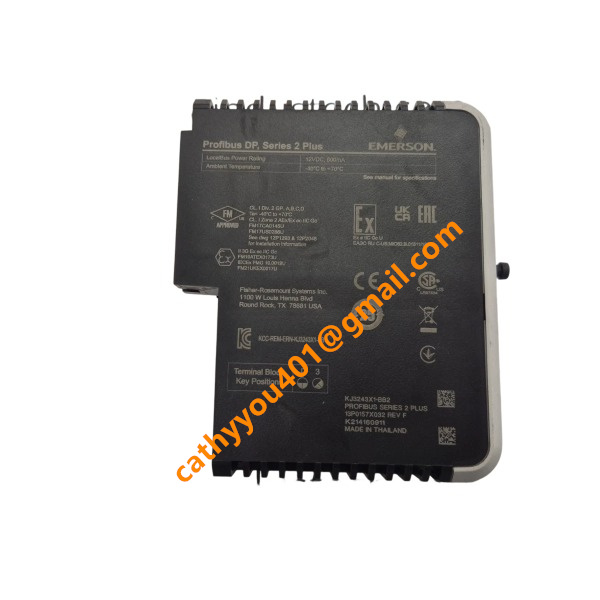
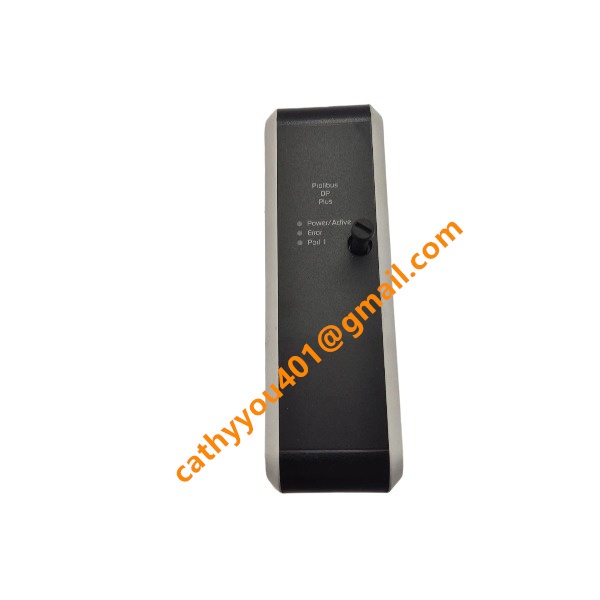







Description
-
BrandEmerson
-
ModelKJ3243X1-BB2
-
Product NameProfibus‑DP Series 2 Plus Interface Card for DeltaV DCS
-
Dimensions41 mm × 125 mm × 135 mm
-
Weight0.24 kg
-
Place of OriginUnited States
-
HS Code8537101190
-
Operating Temperature-40 ℃ ~ +70 ℃
-
Storage Temperature‑45 ℃ ~ +85 ℃
-
Power Supply12 V DC
-
Warranty12 month
-
Statusnew
Advantages of Emerson KJ3243X1-BB2
It achieves native, seamless integration with the DeltaV distributed control system. No additional custom drivers are necessary, enabling straightforward plug-and-play deployment.
Delivers high-speed, deterministic PROFIBUS-DP communication with a maximum baud rate of 12 Mbps, guaranteeing consistent real-time data transmission for process-critical control operations.
Boards broad interoperability and supports a wide range of PROFIBUS-DP slave devices, such as variable-frequency drives, motor starters and remote I/O modules.
Equipped with robust on-board network diagnosis and monitoring capabilities, allowing fast identification of bus-related faults and minimizing unplanned troubleshooting downtime.
Built with heavy-duty industrial-grade hardware that meets ISA-S71.04 G3 anti-pollution criteria. It performs reliably under vibration, strong electromagnetic interference and demanding plant-site operating conditions.
A mechanical rotary keying feature avoids mismatched installation between the I/O card and corresponding terminal block, raising overall system operational safety.
Redundancy support is available for vital process scenarios, greatly boosting system stability and operational dependability.
Helps shorten engineering and commissioning lead-times, streamlines field-side wiring work, and cuts total installation and routine maintenance expenses.
Fully certified to global safety standards including CE, UL and FM, making it applicable for hazardous locations within chemical, oil & gas, power generation and other industrial facilities.

Installation Steps for Emerson KJ3243X1-BB2 Profibus-DP Interface Card
Safety preparation. Cut off power to both the system backplane and field bus. Put on an anti-static wrist strap to protect electronic components from static-electric damage. Never plug in or pull out the module while power is on, which is particularly critical for hazardous-area deployments.
Check hardware compatibility. Make sure your DeltaV system software version is compatible with KJ3243X1-BB2. Confirm that the chosen I/O carrier slot conforms to the physical specifications of S-Series cards.
Configure the rotary key on the terminal block. Turn the mechanical rotary key on the matching terminal block to the designated position for the Profibus-DP interface card, so as to avoid incorrect hardware matching during installation.
Mount the module into the carrier slot. Align KJ3243X1-BB2 with the guide rails of the I/O carrier. Push the card in smoothly until you hear a click from the locking tab for secure fixation. Ensure reliable connection with the backplane connector.
Carry out on-site Profibus-DP wiring. Run the shielded Profibus-DP cable to the DB-9 port on the terminal block. Toggle the bus termination resistor switch to ON if the module sits at the end of a bus segment; set it to OFF for intermediate nodes. Ground the cable shield strictly in accordance with EMC specifications.
Restore power supply. Power up the system backplane first, and then activate power for the field Profibus-DP bus.
Perform software commissioning via DeltaV Explorer. Navigate to the corresponding hardware slot, right-click and choose the commission option. Import GSD files for Profibus-DP slave devices, and configure slave addresses together with I/O mapping parameters.
Verify functions and operating status. Monitor the module LED status: steady green light signifies normal DP master operation; blinking green indicates ongoing slave-device scanning; red light points to bus failures. Review DeltaV diagnostic reports to check communication health, alarm messages and real-time data transfer.
Conduct final inspection. Validate normal communication of all field-side devices. Close and secure the cabinet door and arrange all wiring neatly. Retain hardware installation records for future maintenance work.

SE4035S2B1 KJ3221X1-BK1
CE4022
VE3008
1C31194G03
AMS-2140
FloBoss S600+
5X00875G01
SE5109
SE3051C0
A6500-UM


.jpg)







