.jpg)
.jpg)







Description
-
BrandEmerson
-
ModelVE3006
-
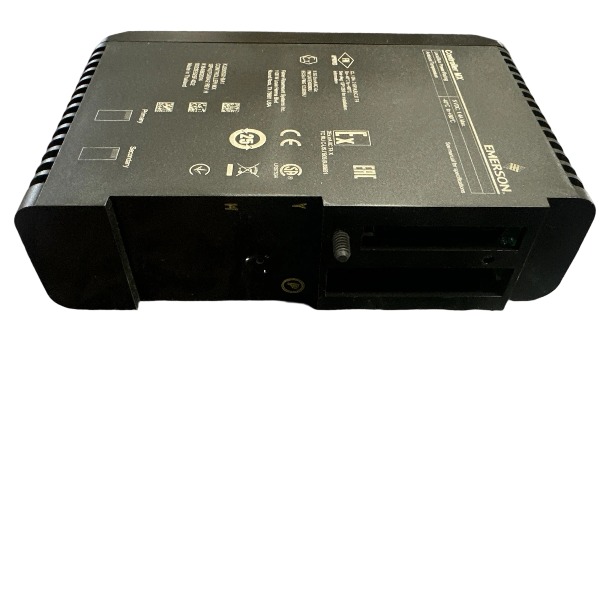
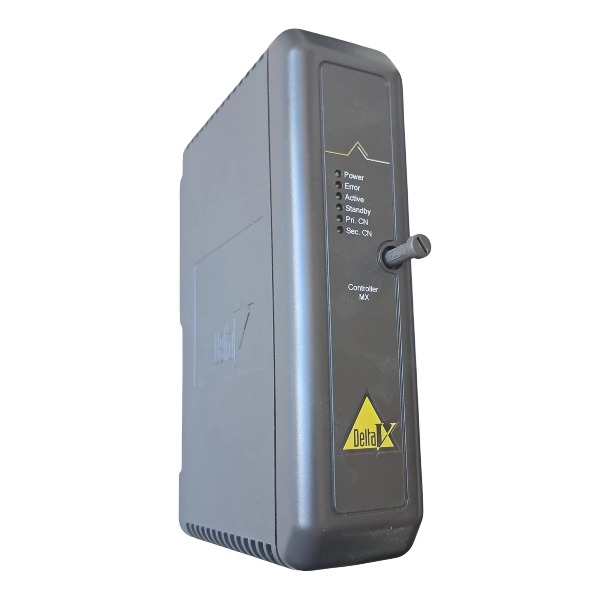
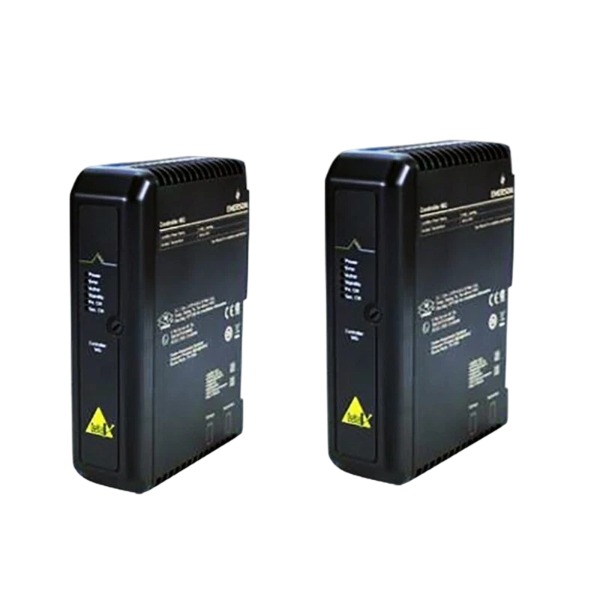
Product NameDeltaV MD Plus Controller Module
-
Place of OriginUnited States
-
Customs HS Code8537101190
-
Power Supply5 V DC
-
Dimensions168 mm × 45 mm × 175 mm
-
Weight0.32 kg
-
Operating Temperature0 °C to 60 °C
-
Storage Temperature-40 °C to 85 °C
-
Warranty12 month
-
Product Statusnew and original
Emerson VE3006 MD Plus Controller Common Faults and Troubleshooting
Controller Power Fault, Power LED Off or Flashing
Cause: Failed backplane power supply, poor module contact, inadequate chassis grounding, low input voltage
Solution: Measure the output of the carrier power module; reseat the controller and fully engage the locking latches; examine ground terminals for looseness and corrosion; confirm DC input voltage is within the rated range; substitute the power module if readings are abnormal.
Self-Test / Hardware Fault, Solid Red Fault LED
Cause: Corrupted firmware, damaged backplane pins, internal hardware defect, electrostatic discharge damage
Solution: Perform a power cycle of the controller; flash the correct matching firmware revision; inspect backplane connectors for bent pins and dirt; test the controller in a known-good spare carrier slot; replace the controller if the fault remains after slot swapping.
I/O Bus Communication Fault, I/O Modules Marked BAD in DeltaV Explorer
Cause: Unreliable LocalBus connection, loose I/O carrier, defective bus cable, firmware mismatch between controller and I/O modules
Solution: Check LocalBus cable termination and connector tightness; reseat I/O modules and the controller; execute Auto Sense within DeltaV software; synchronize firmware versions of the controller and I/O modules; replace the faulty bus cable or carrier if a group of modules drop communication at the same time.
Ethernet Communication Fault, Failed DeltaV Network Connection
Cause: Damaged Ethernet cable, IP address conflict, faulty switch port, incorrect network parameters, ground loops induced by shield wiring
Solution: Swap with a new industrial CAT5E Ethernet cable; validate IP configuration and eliminate address conflicts; test an alternate switch port; verify subnet mask and gateway settings; implement single-point grounding for the cable shield.

Redundancy Switchover Failure (Redundant Controller Pair)
Cause: Loose or defective redundancy sync cable, mismatched firmware versions, incorrect synchronization configuration
Solution: Inspect and resecure the redundancy sync cable; ensure the primary and standby controllers run identical firmware; re-download the controller configuration to both devices; trigger manual switchover for validation in DeltaV diagnostics.
Intermittent Spontaneous Controller Reboots
Cause: Voltage sags, insufficient grounding, electromagnetic interference, excessive CPU load, abnormal network broadcast traffic
Solution: Stabilize the DC power supply for the system; upgrade chassis grounding with low-resistance conductors; isolate communication cables from high-power wiring; optimize control logic and reduce unnecessary background tasks; analyze network traffic for abnormal broadcast packets.
Abnormal Logic Execution, Control Loop Not in Service
Cause: Incomplete configuration download, corrupted tags or routines, improper task scheduling, watchdog timeout
Solution: Re-download the full project file; verify task cycle and watchdog settings; troubleshoot invalid logic and unhandled fault conditions in control routines; clear fault codes and reset the controller.
SD Memory Card Access Fault
Cause: Loose, damaged or incompatible SD card, corrupted file system
Solution: Power down the controller, remove and reinsert the SD card; replace it with an Emerson-compatible SD card; back up data and reimage the media; confirm write protection is disabled when storing project files and logs.
Overtemperature Thermal Alarm
Cause: Blocked air vents, high ambient temperature, accumulated heat from neighboring modules
Solution: Remove dust and obstructions around ventilation openings; check the operation of cabinet cooling fans; lower the surrounding temperature; maintain sufficient clearance between modules for heat dissipation.

How to Determine Whether Firmware of Emerson VE3006 Controller Is Corrupted
Front-Panel LED Status Observation
If the Power LED operates normally while the Fault LED illuminates solid red or flashes continuously immediately after power-up, and the controller fails to complete power-on self-test and cannot enter Run or Program mode, firmware corruption is highly suspected. This symptom typically excludes basic power and wiring failures.
DeltaV Software Device Recognition Check
Open DeltaV Explorer or DeltaV Diagnostics. The workstation fails to detect the VE3006 controller via Local Bus or Ethernet. The controller is displayed as an unknown device, or the system prompts “firmware version unreadable” and cannot go online to complete configuration and project downloading.
Self-Test Fault Code Verification
If temporary communication is available, access controller diagnostic logs. Typical firmware failure codes include flash memory access errors, firmware checksum mismatch, and boot partition exceptions. Checksum inconsistency serves as a direct judgment criterion for incomplete or corrupted firmware data.
Boot Loader Mode Performance Test
When the controller is switched to boot loader mode, it cannot receive firmware upgrade files, or the firmware download terminates repeatedly with verification errors. A healthy controller can normally receive, verify and complete firmware flashing in boot mode.
Eliminate Non-Firmware Interference Factors
Exclude hardware and on-site interference first: reseat the controller and inspect backplane pins, confirm stable DC power input and reliable chassis grounding, swap the module to a fully functional carrier slot, and replace Ethernet cables and ports. If the fault still exists after all tests, firmware corruption is confirmed.
Recovery Result Validation
If the controller successfully enters boot mode, accepts matched firmware reflashing, clears the Fault LED and passes self-test after upgrade, the original fault is caused by firmware corruption. If reflashing fails repeatedly and the fault persists, the failure originates from physical damage to the onboard flash chip rather than firmware issues.

SE4035S2B1 KJ3221X1-BK1
CE4022
VE3008
1C31194G03
AMS-2140
FloBoss S600+
5X00875G01
SE5109
SE3051C0
A6500-UM



.jpg)