.jpg)







Description
-
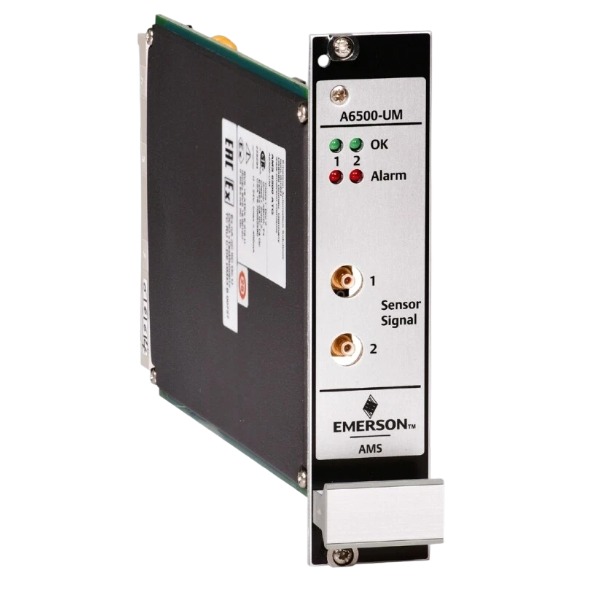
BrandEmerson
-
ModelA6500-UM
-
Product NameVibration Monitoring Module
-
Place of OriginUnited States
-
Customs HS Code8538900000
-
Power Supply+5 VDC and ±15 VDC
-
Dimensions25.4 mm (width) × 221 mm (height) × 220 mm (depth)
-
Weight0.92 kg
-
Operating Temperature-40°C to +70°C
-
Storage Temperature-40°C to +85°C
-
Warranty12 month
-
Product Statusnew and original
A6500-UM Emerson Universal Measurement Card
Note: The A6500-UM module operates with embedded firmware and does not support a general-purpose operating system. AMS Machine Studio, the dedicated configuration software, is designed for Windows platforms.
Supported Operating Systems for AMS Machine Studio: Windows 10 (64-bit), Windows 11 (64-bit)
Host Integration: It communicates with DCS, PLC and data historian systems over Modbus TCP, Modbus RTU and OPC UA. The host system is not restricted by operating system as long as the required communication protocols are available.
Unsupported Platforms: macOS and Linux cannot run the AMS Machine Studio configuration software.

A6500-UM Emerson Universal Measurement Card Configuration and Operation Procedure
Pre-installation and hardware preparation
Inspect the A6500-UM card for physical damage and validate its part number. Put on an anti-static wrist strap prior to module handling. Insert the card into an empty slot of the A6500-SR system rack and secure the front-panel mounting screws. Confirm that the rack is equipped with an A6500-CC communication card to provide USB and Ethernet connectivity. Terminate field sensors to the card input terminals; compatible transducers include eddy-current probes, accelerometers, velometers, Hall-effect sensors and LVDTs used with the A6500-LC. Separate sensor cables from high-power cables and implement single-point shield grounding. Complete wiring for 5 digital inputs, 6 digital outputs and 4–20 mA analog outputs according to project requirements.
Software connection and communication setup
Install AMS Machine Studio on the configuration laptop. Connect the computer to the A6500-CC card using the front-panel USB port or an Ethernet switch. Start the software and scan the network to identify online rack devices. Choose the target A6500-UM card from the device list and open the configuration editor.
Channel and measurement configuration
Create a new configuration file or import a pre-saved template. Select measurement types including shaft vibration, casing vibration, position, speed and dynamic pressure. Configure sensor type, sensitivity, engineering unit, filter settings and sampling parameters for each of the 2 independent measurement channels. Assign digital input functions for external trip and reset signals, and define digital output logic for alarm triggers and relay operation. Configure analog output ranges and mapping for vibration or position variables. Set alert and danger alarm thresholds, alarm delays and latch modes in compliance with machinery protection specifications.
Communication parameter setup
Adjust parameters for the internal rack RS485 bus. Configure Modbus TCP/IP and Modbus RTU to enable data access by host systems. Define register mapping for measured variables, status flags and diagnostic data.
Download and activate configuration
Review all configured parameters. Download the verified configuration to the A6500-UM card. Store a local backup of the configuration file. Activate the programming lock after commissioning to avoid unauthorized parameter changes.
Power-on verification and functional test
Power up the A6500 rack and check front-panel LEDs to confirm power and channel status. Review power-on self-test results within AMS Machine Studio. Conduct signal injection tests on every measurement channel to confirm measurement accuracy. Simulate alarm conditions to verify alert, danger and relay output performance. Validate the response of digital inputs and scaling of 4–20 mA analog outputs. Confirm real-time waveform, FFT spectrum and trend data display in the software. Verify reliable Modbus data transmission to the upper monitoring system.
Continuous operation and diagnostics
Maintain continuous monitoring to collect vibration, position and speed data. Utilize onboard diagnostics to identify sensor faults, open circuits, short circuits and hardware failures of the module. Check event logs and fault messages for troubleshooting. Reset latched alarms and relays via AMS Machine Studio once equipment conditions return to normal. Execute periodic firmware updates and configuration backups during planned shutdowns.

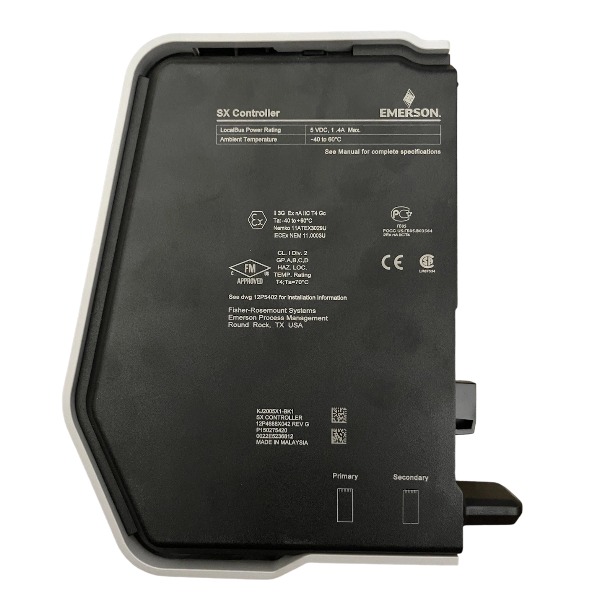
SE4035S2B1 KJ3221X1-BK1
CE4022
VE3008
1C31194G03
AMS-2140
FloBoss S600+
5X00875G01
SE5109
SE3051C0
A6500-UM


.jpg)