





5C312E803D8F4F94A1FB6F0D67F53899.jpg)
.jpg)
.jpg)







Description
-
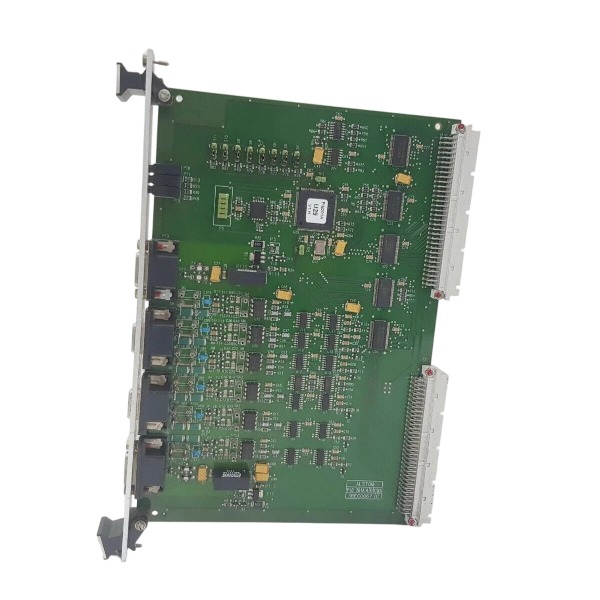
BrandAlstom
-
ModelPIB201A
-
Product NameProcess Interface Board
-
Place of OriginFrance
-
Customs HS Code85371011
-
Power Supply24V DC
-
Dimensions225mm × 148mm × 36mm
-
Weight1.02 kg
-
Operating Temperature-20°C ~ +70°C
-
Storage Temperature-40°C ~ +85°C
-
Warranty1 year
-
Product Statusnew
Operation Guide for Alstom PIB201A (3BEC0067C)
Pre-operation Preparation
Disconnect all rack power before handling the module. Wear an anti-static wrist strap for ESD protection to avoid electrostatic damage to PCB components.
Inspect the module visually for burn marks, loose connectors or physical damage, and confirm the marking is PIB201A with part number 3BEC0067C.
Review the rack backplane slot assignment, bus signal definition and terminal wiring drawing. Prepare insulated screwdrivers, a multimeter and the dedicated configuration software for Alstom CONVERTEAM series.
Examine cabinet cooling fans and ventilation paths to ensure no debris obstructs airflow.
Module Installation
Insert the board into its assigned rack slot. Align it with the guide rails and push it in smoothly until the backplane connector is fully engaged.
Tighten the front panel mounting screws evenly to provide vibration resistance.
Wire power terminals, analog signal terminals, digital I/O terminals and communication terminals strictly per the schematic. Clearly separate power supply, feedback signal and relay output circuits to prevent incorrect wiring.
Use a multimeter to recheck wiring continuity and insulation resistance prior to power application.
Power-on Procedure
Close the peripheral load circuit breaker first, then energize the rack auxiliary power supply.
Observe front-panel LED indicators: the Power LED shall illuminate steadily after power-up, while the Fault LED remains off under normal standby conditions.
Do not activate excitation or apply output load right after power-on. Keep the module in standby for 3–5 minutes to allow internal circuits to stabilize.
Connect the configuration cable to the communication port and establish an online link with the supporting software.

Parameter Configuration
Log into the configuration utility and load either the factory default parameter set or site commissioning parameter file.
Configure power ratings, input voltage ranges, signal scaling and threshold values according to generator or drive system requirements.
Set up analog input sampling, digital input logic, relay alarm output mapping and communication address for bus interconnection.
Define protection thresholds for overvoltage, undervoltage, overcurrent and internal overtemperature alarms.
Save parameters to the onboard non-volatile memory and perform a readback check to verify successful storage.
Normal Operation
Switch the module from standby to operating mode using a software command or local enable signal.
Monitor real-time data via the software interface, including bus voltage, sampled values, status words and fault codes.
Periodically check indicator states during operation: the Run LED flashes normally and the Fault LED stays off.
The module transmits acquired power interface signals to the main controller and triggers predefined alarm logic when limits are breached.
Avoid frequent power cycling or hot swapping during continuous operation.
Fault Diagnosis & Alarm Handling
When the Fault LED lights up, retrieve the fault code via software as the first step.
Typical faults include power supply abnormality, signal loss, wiring short circuit, overtemperature, communication timeout and internal hardware failure.
For overtemperature alarms, inspect cabinet cooling, air filters and module ventilation.
For signal mismatch alarms, verify transducer wiring, signal polarity and scaling parameters.
Record the fault code, timestamp and operating conditions before resetting. Clear the fault only after the root cause has been resolved.
Carry out a soft reset through software; perform a complete power cycle if the soft reset is ineffective.
Power-off & Maintenance
Revoke the field enable command and return the module to standby mode.
Open the load breaker first, then de-energize the rack power supply.
Wait a minimum of 10 minutes for internal capacitors to fully discharge before touching circuit components.
Complete routine maintenance: retighten loose terminals, remove dust from the PCB and heat sink, and check connectors for oxidation.

Native system compatibility: Developed for Alstom Converteam turbine and generator control racks, operating on the system’s proprietary backplane bus. It is fully interoperable with matching Alstom/Converteam main control boards, signal acquisition modules, relay output boards and excitation control modules installed within the same rack.
Compatible internal modules include MBC101, SCN804D, MVAA21R and GP12 series. It enables synchronized signal sampling, protection interlocking and power interface data transmission inside the control system.
Signal-level external compatibility: Analog input and output interfaces (0/4–20mA, ±10V) support most standard transducers, voltage and current sensors, temperature transmitters and local indicators. Dry-contact relay outputs work with external auxiliary relays, circuit breaker trip coils and alarm annunciators. Opto-isolated 24Vdc digital discrete I/O is compatible with common field switches and proximity sensors.
Communication compatibility: High-speed real-time data exchange is realized primarily through the proprietary internal rack bus. For connection to upper-level hosts, data can be forwarded via supporting gateway modules to HMI or SCADA systems that support Modbus RTU and Modbus TCP. Direct bus connection to third-party PLCs, VME SBCs or DCS controllers is unavailable unless signal conversion or a dedicated gateway is deployed.
Third-party device limitation: It is not plug-and-play compatible with independent control platforms such as GE Mark VI, ABB Symphony, Siemens S7 and Basler excitation controllers. Direct bus interconnection with these devices is prohibited. Integration can only be achieved via hardwired analog signals or dry-contact interlock circuits.
Mechanical compatibility: This is a standard 6U single-slot board designed exclusively for dedicated Alstom Converteam racks and backplanes. It cannot be mounted in general VME, CompactPCI or standard PLC racks.
Software & firmware compatibility: Commissioning and parameter configuration require the proprietary Alstom Converteam configuration software. The firmware version of the PIB201A must align with the firmware of the rack main controller. Version mismatch will lead to communication loss or unintended protection trips.

FAQ: Alstom PIB201A Protection Interface Board
Q: What is Alstom PIB201A?
A: Alstom PIB201A is a protection interface board used for power system protection and substation control, designed to interface protection relays, signal conversion and circuit tripping functions.
Q: What is the main function of Alstom PIB201A?
A: It realizes signal isolation, binary input/output transfer, trip circuit supervision and interface between protection equipment and substation control logic.
Q: What are the common application scenarios of Alstom PIB201A?
A: It is widely used in power substations, power plants, transmission and distribution protection panels, and railway power supply automation systems.
Q: What communication and signal types does PIB201A support?
A: It handles binary status signals, trip command signals and hardwired interlock signals to match Alstom protection relay systems.
Q: What power supply does Alstom PIB201A use?
A: It normally runs on substation DC supply, typical 110VDC or 220VDC. Please verify the label and datasheet of the specific unit.
Q: What is the operating temperature range for Alstom PIB201A?
A: Recommended operating temperature: -5°C to 55°C, suitable for installation inside standard relay cabinets.
Q: Can Alstom PIB201A record event signals?
A: It transmits protection status and trip signals to master protection devices for event logging and fault sequence recording.

UT150-2
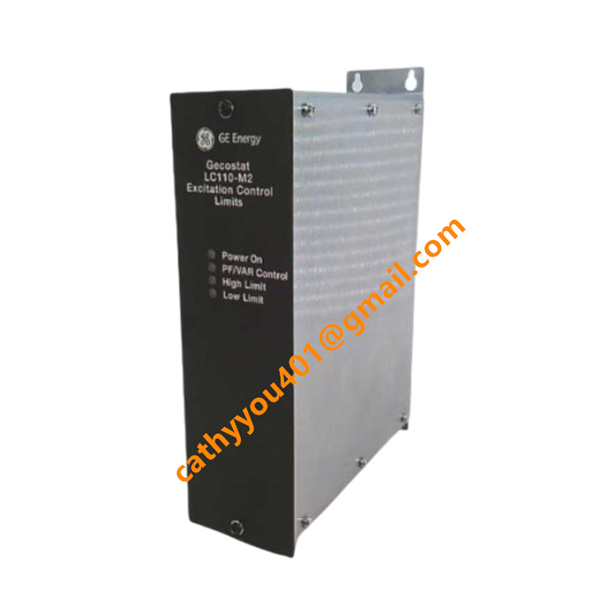
LC110-M2 REP/K107 52/A1
MVAJ34T1DB0753B
FV200-M2
FV223-M2
MPM123
DFI-100-52307
IR139-1
ICP232
AL129A


.jpg)







